
R211x-HP Flexfabric 11900 ACL and QoS Command Reference

90
Examples
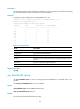
# Enable weight-based WFQ on interface Ten-GigabitEthernet 1/0/1, and assign queue 0 to the SP
group.
<Sysname> system-view
[Sysname] interface ten-gigabitethernet 1/0/1
[Sysname-Ten-GigabitEthernet1/0/1] qos wfq weight
[Sysname-Ten-GigabitEthernet1/0/1] qos wfq 0 group sp
Related commands
• display qos queue wfq interface
• qos bandwidth queue
• qos wfq
Queue scheduling profile commands
bandwidth
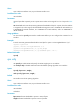
Use bandwidth to set the minimum guaranteed bandwidth for a WFQ queue in a queue scheduling
profile.
Use undo bandwidth to restore the default.
Syntax
bandwidth queue queue-id min bandwidth-value
undo bandwidth queue queue-id
Default
The minimum guaranteed bandwidth is 64 kbps for a WFQ queue in a queue scheduling profile.
Views
Queue scheduling profile view
Predefined user roles
network-admin
mdc-admin
Parameters
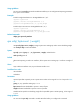
queue-id: Specifies a queue by its ID. A queue ID is a number in the range of 0 to 7 or a keyword in Table
32.
min band
width-value: Specifies the minimum guaranteed bandwidth in the range of 8 to 100000000
kbps. The parameter specifies the bandwidth guaranteed for a queue when the port is congested.
Usage guidelines
To configure the minimum guaranteed bandwidth for a queue in a queue scheduling profile, you must
first configure the queue as a WFQ queue.
Examples
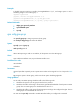
# In queue scheduling profile myprofile, configure queue 0 as follows:
• Assign queue 0 to WFQ group 1 with a packet-based weight of 1.