
R211x-HP Flexfabric 11900 ACL and QoS Command Reference

94
Examples
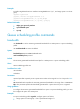
# Apply queue scheduling profile myprofile to Ten-GigabitEthernet 1/0/1.
<Sysname> system-view
[Sysname] interface ten-gigabitethernet 1/0/1
[Sysname-Ten-GigabitEthernet1/0/1] qos apply qmprofile myprofile
Related commands
display qos qmprofile interface
qos qmprofile
Use qos qmprofile to create a queue scheduling profile and enter queue scheduling profile view.
Use undo qos qmprofile to delete a queue scheduling profile.
Syntax
qos qmprofile profile-name
undo qos qmprofile profile-name
Default
No queue scheduling profile exists.
Views
System view
Predefined user roles
network-admin
mdc-admin
Parameters
profile-name: Specifies the queue scheduling profile name, a case-sensitive string of 1 to 31 characters.
Usage guidelines
To delete a queue scheduling profile already applied to an interface, remove it from the interface first and
then delete it.
Examples
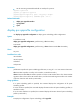
# Create queue scheduling profile myprofile and enter queue scheduling profile view.
<Sysname> system-view
[Sysname] qos qmprofile myprofile
[Sysname-qmprofile-myprofile]
Related commands
• display qos qmprofile interface
• queue
queue
Use queue to configure queue scheduling parameters.
Use undo queue to restore the default.