
R211x-HP Flexfabric 11900 ACL and QoS Configuration Guide

28
configure an Ethernet port as a Layer 2 or Layer 3 interface (see Layer 2—LAN Switching Configuration
Guide).
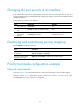
Configuring priority maps
Ste
p
Command
Remarks
1. Enter system view.
system-view N/A
2. Enter priority map
view.
qos map-table { dot1p-dp | dot1p-exp | dot1p-lp |
dscp-dot1p | dscp-dp | dscp-dscp | exp-dot1p }
The dscp-dot1p priority
map does not take effect
on interfaces on SF cards.
3. Configure mappings
for the priority map.
import import-value-list export export-value
By default, the default
priority maps are used.
For more information, see
"Appendixes."
Newly configur
ed
mappings overwrite the
old ones.
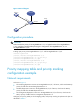
Configuring a port to trust packet priority for priority
mapping
The interfaces of an SF card do not support the DSCP-to-802.1p priority mapping table. To use the
priority carried in packets for priority mapping on an interface of an SF card, you must configure the
interface to trust the 802.1p priority.
You can configure the switch to trust a particular priority field carried in packets for priority mapping on
ports.
When you configure the trusted packet priority type on an interface, use the following available
keywords:
• dot1p—Uses the 802.1p priority of received packets for mapping.
• dscp—Uses the DSCP precedence of received IP packets for mapping.
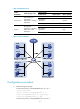
To configure the trusted packet priority type on an interface:
Ste
p
Command
Remarks
1. Enter system view.
system-view N/A
2. Enter interface view.
interface interface-type
interface-number
N/A
3. Configure the trusted
packet priority type.
• Configure the interface to trust
the DSCP precedence.
qos trust dscp
• Configure the interface to trust
the 802.1p priority of received
packets.
undo qos trust
Use one of these commands.
By default, the interface trusts the 802.1p
priority.