
R211x-HP Flexfabric 11900 EVB Command Reference
16
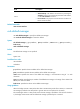
Syntax
evb reflective-relay
undo evb reflective-relay
Default
The RR mode for an S-channel is disabled.
Views
S-channel interface view, S-channel aggregate interface view
Predefined user roles
network-admin
mdc-admin
Usage guidelines
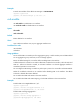
EVB TLVs exchanged through LLDP allow an EVB station and EVB bridge to negotiate the use of reflective
relay (RR). If the EVB station requests the use of the RR mode and the EVB bridge supports the RR mode,
the bridge automatically enables the RR mode for the S-channel and adds the corresponding command
line to the configuration file. You can also use this command to manually enable or disable the RR mode
for an S-channel.
Examples
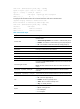
# Enable the RR mode on S-Channel 1/0/1:10.
<Sysname> system-view
[Sysname] interface s-channel 1/0/1:10
[Sysname-S-Channel1/0/1:10] evb reflective-relay
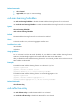
# Enable the RR mode on Schannel-Aggregation 1:10.
<Sysname> system-view
[Sysname] interface schannel-aggregation 1:10
[Sysname–Schannel-Aggregation1:10] evb reflective-relay
evb s-channel
Use evb s-channel to create an S-channel on an interface.
Use undo evb s-channel to remove an S-channel on an interface.
Syntax
evb s-channel channel-id service-vlan svlan-id
undo evb s-channel channel-id
Default
Only an automatically created default S-channel (with both SCID and SVID as 1) exists on an interface
with EVB enabled.
Views
Layer 2 Ethernet interface view, Layer 2 aggregate interface view
Predefined user roles
network-admin