
R211x-HP Flexfabric 11900 EVB Command Reference
23
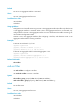
Parameters
group group-id: Specifies a group ID that classifies VLAN IDs, in the range of 1 to 4094. When the
number of VLANs exceeds 4094, the group ID and VLAN ID together identify a VLAN.
vlan vlan-id: Specifies the VLAN ID in the range of 1 to 4094. The VLAN must exist.
mac mac-address: Specifies the MAC address, which must be a valid unicast MAC address.
Usage guidelines
The EVB bridge uses a VSI filter to identify VSI traffic for a VM. Filters are usually assigned by a VSI
manager. You can also manually create or remove a VSI filter by executing this command.
A VSI filter contains a set of VID values, MAC addresses, and group ID values. EVB supports the
following filter info formats:
• VLAN ID
• VLAN ID + MAC
• Group ID + VLAN ID
• Group ID + VLAN ID + MAC
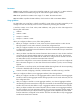
When you configure VSI filters on a VSI, follow these guidelines:
• Before you configure a VSI filter on a VSI, make sure the S-channel interface to which the VSI
belongs operates in trunk mode. Otherwise, the VSI filter configuration fails.
• After you configure a VSI filter on a VSI, an S-channel interface automatically permits the VLAN that
is configured in the VSI filter for the subordinate VSI. The same rule takes effect on Layer 2 interfaces
associated with S-channels.
• When you delete a VSI filter that contains information about a VLAN on a VSI, the other VSI filters
on all VSIs of an S-channel interface might not contain the VLAN. If they do not, the S-channel
interface automatically denies traffic from the VLAN that is configured on the VSI filter. The same
rule takes effect on Layer 2 interfaces associated with S-channels.
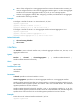
• When a filter configured on a VSI contains information about a VLAN, you must not configure the
filter on the same VSI again or on other VSIs of the S-channel interface. If you do, an error message
appears.
• If the VSI filter is a set of VID values, and the MAC address learning function for the corresponding
S-channel is disabled, traffic for the VSI cannot be forwarded.
• Activate a VSI after configuring a VSI filter, and deactivate a VSI before removing a VSI filter.
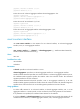
When you configure VSI filters on a VSI aggregate interface, follow these guidelines:
• Before you configure a VSI filter on a VSI aggregate interface, make sure the S-channel aggregate
interface to which the VSI aggregate interface belongs operates in trunk mode. Otherwise, the VSI
filter configuration fails.
• After you configure a VSI filter on a VSI aggregate interface, an S-channel aggregate interface
automatically permits the VLAN that is configured in the VSI filter for the subordinate VSI aggregate
interface. The same rule takes effect on Layer 2 aggregate interfaces associated with S-channels.
• When you delete a VSI filter that contains information about a VLAN on a VSI aggregate interface,
the other VSI filters on all VSI aggregate interfaces of an S-channel aggregate interface might not
contain the VLAN. If they do not, the S-channel aggregate interface automatically denies traffic
from the VLAN that is configured on the VSI filter. The same rule takes effect on Layer 2 aggregate
interfaces associated with S-channels.