
R211x-HP Flexfabric 11900 FCoE Command Reference

11
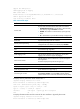
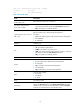
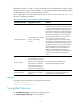
Field Descri
p
tion
Cause
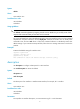
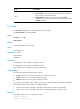
Causes for the physical state of the VFC interface to be Down:
• Not connected—No physical connection exists (possibly because the
network cable is disconnected or faulty).
• Administratively—The port was shut down with the shutdown
command. To restore the physical state of the interface, use the undo
shutdown command.
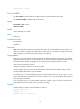
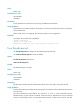
fc mode
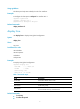
Use fc mode to configure the operating mode of a VFC interface.
Use undo fc mode to restore the default.
Syntax
fc mode { e | f | np }
undo fc mode
Default
A VFC interface operates in F mode.
Views
VFC interface view
Predefined user roles
network-admin
mdc-admin
Parameters
e: Configures the VFC interface to operate in E mode.
f: Configures the VFC interface to operate in F mode.
np: Configures the VFC interface to operate in NP mode.
Usage guidelines
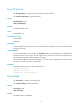
An FC switch provides the following types of ports:
• F_Port—Connects to an N_Port or an NP_Port on another FC switch.
• E_Port—Connects to an E_Port on another FC switch.
• NP_Port—Connects to an F_Port on another FC switch.
E_Ports connect FC switches to form a fabric, and F_Ports connect the nodes to FC switches in the fabric.
VFC interfaces support three modes: E, F (default), and NP.
• When an FC switch is operating in FCF mode, VFC interfaces support E and F modes.
• When an FC switch is operating in NPV mode, FC interfaces support F and NP modes.
Examples
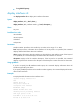
# Configure interface VFC 1 to operate in E mode.
<Sysname> system-view
[Sysname] interface vfc 1