
R211x-HP Flexfabric 11900 FCoE Command Reference

21
Usage guidelines
Only the FIP snooping rules that have been flushed can be used to filter FCoE frames. FIP snooping rules
that are being flushed cannot be used to filter FCoE frames.
If you do not specify either enode or fcf, this command displays both ENode and FCF FIP snooping rules
that are being flushed.
Examples
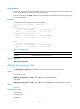
# Display the FIP snooping rules that are being flushed.
<Sysname> display fip-snooping flushing-rules
VLAN 2:
FCF flushing-rules information:
Interface Source MAC/Mask Destination MAC/Mask
XGE1/0/3 0000-1234-0212/48 0efc-0034-0111/24
ENode flushing-rules information:
Interface Source MAC/Mask Destination MAC/Mask
XGE1/0/1 0efc-0034-0202/48 0000-1234-0101/48
VLAN 5:
FCF flushing-rules information:
Interface Source MAC/Mask Destination MAC/Mask
XGE1/0/4 0000-1234-2212/48 0efc-0034-2111/24
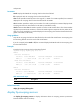
Table 7 Command output
Field Descri
p
tion
Interface Ethernet interface on the Transit switch.
Related commands
display fip-snooping rules
display fip-snooping rules
Use display fip-snooping rules to display the FIP snooping rules that have been flushed.
Syntax
In standalone mode:
display fip-snooping rules [ enode | fcf ] [ vlan vlan-id ] [ slot slot-number ]
In IRF mode:
display fip-snooping rules [ enode | fcf ] [ vlan vlan-id ] [ chassis chassis-number slot slot-number ]
Views
Any view
Predefined user roles
network-admin
network-operator
mdc-admin