
R211x-HP Flexfabric 11900 FCoE Command Reference
24
Usage guidelines
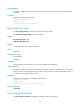
To enable a VLAN on a Transit switch to process FCoE frames and FIP frames, enable FIP snooping for
the VLAN.
Examples
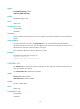
# Enable FIP snooping for VLAN 10.
<Sysname> system-view
[Sysname] vlan 10
[Sysname-vlan10] fip-snooping enable
fip-snooping fc-map
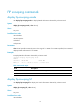
Use fip-snooping fc-map to configure an FC-MAP value for a VLAN.
Use undo fip-snooping fc-map to restore the default.
Syntax
fip-snooping fc-map fc-map
undo fip-snooping fc-map
Default
The FC-MAP value for a VLAN is 0x0EFC00.
Views
VLAN view
Predefined user roles
network-admin
mdc-admin
Parameters
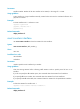
fc-map: Specifies an FC-MAP value in the range of 0x0EFC00 to 0x0EFCFF.
Usage guidelines
An Ethernet interface in a VLAN on a Transit switch checks whether the FC-MAP value in a received
frame is the same as that configured for the VLAN. If it is the same, the interface forwards the frame. If
it is different, the interface drops the frame.
Examples
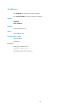
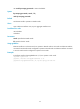
# Configure an FC-MAP value of 0x0EFCFF for VLAN 10.
<Sysname> system-view
[Sysname] vlan 10
[Sysname-vlan 10] fip-snooping fc-map 0efcff
Related commands
fcoe fcmap
fip-snooping port-mode
Use fip-snooping port-mode to configure the operating mode of an interface.