
R211x-HP Flexfabric 11900 FCoE Command Reference
45
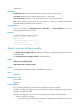
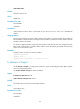
• target: Specifies support for the target feature, which has a feature-map of 1.
• both: Specifies support for both initiator and target features, which has a feature-map of 3.
Usage guidelines
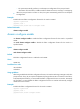
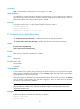
If a node does not register FC4 information and the switch fails to obtain SCSI-FCP information from the
node, the switch records the default FC4 information in the name service database for that node. When
a node registers FC4 information or the switch obtains the SCSI-FCP information, the switch replaces the
default FC4 information with the registered FC4 information or obtained SCSI-FCP information.
This command can be used to configure only one combination of FC4-Type and Feature at a time.
Examples
# Configure the default FC4 information for the node with WWN 00:00:00:11:22:33:44:55.
<Sysname> system-view
[Sysname] fc wwn 00:00:00:11:22:33:44:55 default-fc4-type scsi-fcp feature target
[Sysname] fc wwn 00:00:00:11:22:33:44:55 default-fc4-type 9 feature 7
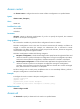
priority
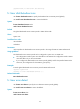
Use priority to specify a priority for the switch in a specified VSAN.
Use undo priority to restore the default.
Syntax
priority value
undo priority
Default
The priority of a switch is 128 in each VSAN.
Views
VSAN view
Predefined user roles
network-admin
mdc-admin
Parameters
value: Specifies the priority of the switch, in the range of 1 to 254.
Usage guidelines
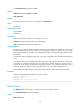
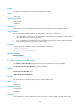
The priority value for FCF switches is in the range of 1 to 254. The smaller the value, the higher the
priority. The FCF switch with the highest priority will become the principal switch.
The priority is configured on a per-VSAN basis, and one FCF switch may have different priorities in
different VSANs.
The priority configuration for the switch does not take effect until a disruptive reconfiguration is performed
by using the domain restart disruptive command.
Examples
# Specify the priority as 64 for the switch in VSAN 1.
<Sysname> system-view