
R211x-HP Flexfabric 11900 FCoE Command Reference

81
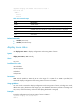
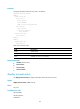
Mode: basic
Default zone: deny
Distribute: active only
Hard-zoning: enabled
Full zoning database:
Zonesets: 10, Zones: 20, Zone-aliases: 0
Status: merging
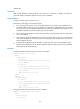
# Display configuration and running status of zones in all VSANs.
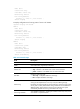
<Sysname> display zone status
VSAN 1:
Mode: basic
Default zone: deny
Distribute: active only
Hard-zoning: enabled
Full zoning database:
Zonesets: 10, Zones: 20, Zone-aliases: 0
Status: merging
VSAN 2:
Mode: basic
Default zone: permit
Distribute: full
Hard-zoning: enabled
Full zoning database:
Zonesets: 10, Zones: 20, Zone-aliases: 0
Status: distributing
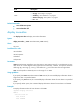
Table 27 Command output
Field Descri
p
tion
VSAN VSAN number.
Mode Zone mode: basic (supported) or enhanced.
Default zone
Default zone policy:
• deny—Members in the default zone cannot access each other.
• permit—Members in the default zone can access each other.
Distribute
Distribution and merge type:
• active only—Incomplete distribution and merge.
• full—Complete distribution and merge.
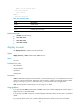
Hard-zoning
Indicates whether hard zoning is enabled or disabled.
Zoning can be implemented in two ways: hard (zone filtering through
hardware) and soft (zone filtering through software). Hard zoning has higher
security and is used by default. Hard zoning enable state can be different in
different VSANs. When hardware resources are insufficient, the system
automatically disables hard zoning and enables soft zoning.
Full Zoning Database
Zone database information, including the numbers of zone sets, zones, and
zone aliases in a specified VSAN.