
R211x-HP Flexfabric 11900 FCoE Configuration Guide


18
An ENode selects the FCF switch with the highest priority from the FCF switches sending Discovery
Advertisements and sends a FLOGI request to it for login.
The FCF priority is effective only on a VFC interface connected to an ENode (VFC interface in F mode).
Configuring the system FCF priority
Ste
p
Command
Remarks
1. Enter system view.
system-view N/A
2. Configure the system
FCF priority.
fcoe global fcf-priority
priority
The default setting is 128.
The configuration takes effect on all VFC
interfaces in F mode.
Configuring the VFC interface FCF priority
Ste
p
Command
Remarks
1. Enter system view.
system-view N/A
2. Enter VFC interface
view.
interface vfc
interface-number
N/A
3. Configure the FCF
priority for the VFC
interface.
fcoe fcf-priority priority
The default setting is 128.
The configuration takes effect on a VFC interface
only when it operates in F mode.
Displaying and maintaining VFC interfaces and FIP
Execute display commands in any view.
Task Command
Display VFC interface information.
display interface [ vfc ] [ brief [ down ] ]
display interface [ vfc [ interface-number ] ] [ brief
[ description ] ]
Display FCoE global configuration. display fcoe
Clear the statistics for VFC interfaces. reset counters interface [ vfc [ number ] ]
VFC interfaces and FIP configuration example
Network requirements
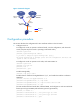
As shown in Figure 15, use the FCoE solution in a data center combining a LAN and a SAN to reduce
the number of devices, network adapters, and cables.