
R211x-HP Flexfabric 11900 FCoE Configuration Guide

67
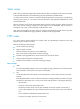
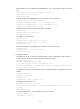
Ste
p
Command
Remarks
1. Enter system view.
system-view N/A
2. Enter VSAN view.
vsan vsan-id N/A
3. Configure a static FC
route.
fc route-static fcid { mask | mask-length }
interface-type interface-number [ cost
cost-value ]
By default, no static FC route exists.
Configuring FSPF
FSPF is enabled by default. Typically, you do not need to make special configurations.
You can change FSPF parameters on a per-VSAN or per-interface basis as needed.
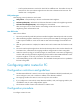
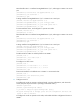
FSPF configuration task list
Tasks at a
g
lance
Change FSPF parameters for a VSAN in VSAN view:
• (Required.) Enabling FSPF
• (Optional.) Configuring the shortest SPF calculation interval
• (Optional.) Configuring the minimum LSR receiving interval
• (Optional.) Configuring the minimum LSR refresh interval
(Optional.) Change FSPF parameters for an interface in E_Port interface view:
• Configuring the FSPF cost for an interface
• Configuring the hello interval for an interface
• Configuring the dead interval for an interface
• Configuring the LSR retransmission interval for interfaces
• Disabling FSPF for an interface
(Optional.) Configuring FSPF GR:
• Configuring the GR restarter
• Configuring the GR helper
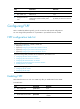
Enabling FSPF
FSPF-related functions can work in a VSAN only after you enable FSPF for the VSAN.
To enable FSPF:
Ste
p
Command
Remarks
1. Enter system view.
system-view N/A
2. Enter VSAN view.
vsan vsan-id N/A
3. Enable FSPF for the VSAN.
fspf enable
By default, FSPF is enabled after a VSAN is
created.