
R211x-HP Flexfabric 11900 Fundamentals Command Reference
92
Examples
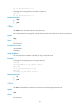
# Display the source address settings on the FTP client.
<Sysname> display ftp client source
The source IP address of the FTP client is 1.1.1.1.
The source IPv6 address of the FTP client is 2001::1.
ftp
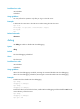
Use ftp to log in to an FTP server and enter FTP client view.
Syntax
ftp [ ftp-server [ service-port ] [ vpn-instance vpn-instance-name ] [ dscp dscp-value | source { interface
interface-type interface-number | ip source-ip-address } ] ] *
Views
User view
Parameters
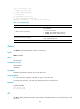
ftp-server: Specifies the IPv4 address or host name of an FTP server. A host name can be a
case-insensitive string of 1 to 253 characters. Valid characters for a host name include letters, digits,
hyphens (-), underscores (_), and dots (.).
service-port: Specifies the TCP port number of the FTP server, in the range of 0 to 65535. The default
value is 21.
vpn-instance vpn-instance-name: Specifies the VPN instance to which the FTP server belongs. The
vpn-instance-name argument is a case-sensitive string of 1 to 31 characters. If the FTP server belongs to
the public network, do not specify this option.
dscp dscp-value: Specifies the DSCP value for IPv4 to use in outgoing FTP packets to indicate the packet
transmission priority, in the range of 0 to 63. The default is 0.
source { interface interface-type interface-number | ip source-ip-address }: Specifies the source address
used to establish the FTP connection.
• interface interface-type interface-number: Specifies an interface by its type and number. The
primary IPv4 address of this interface will be used as the source address for outgoing FTP packets.
If no primary IPv4 address is configured on the source interface, the connection cannot be
established.
• ip source-ip-address: Specifies an IPv4 address. This address must have been configured on the
device.
Usage guidelines
This command is only applicable to IPv4 networks.
If no parameters are specified, this command enters the FTP client view without logging in to the FTP
server.
If the server parameters are specified, you are prompted to enter the username and password for logging
in to the FTP server.
Examples
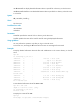
# Log in to the FTP server 192.168.0.211, and specify the source IPv4 address for outgoing FTP packets
as 192.168.0.212.
<Sysname>ftp 192.168.0.211 source ip 192.168.0.212