
R211x-HP Flexfabric 11900 Fundamentals Command Reference

102
passive
Use passive to set the FTP operation mode to passive.
Syntax
passive
Default
The FTP operation mode is passive.
Views
FTP client view
Predefined user roles
network-admin
mdc-admin
Usage guidelines
FTP can operate in either of the following modes:
• Active mode—The FTP server initiates the TCP connection.
• Passive mode—The FTP client initiates the TCP connection.
You can use this command multiple times to change between active and passive modes.
This command is mainly used together with a firewall to control FTP session establishment between
private network users and public network users.
Examples
# Set the FTP operation mode to passive.
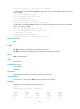
ftp> passive
Passive mode on.
ftp> passive
Passive mode off.
put
Use put to upload a file on the client to the remote FTP server.
Syntax
put localfile [ remotefile ]
Views
FTP client view
Predefined user roles
network-admin
mdc-admin
Parameters
localfile: Specifies the name of the local file to be uploaded.
remotefile: Specifies the file name for saving the uploaded file on the FTP server.