
R211x-HP Flexfabric 11900 Fundamentals Command Reference
4
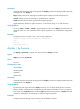
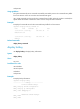
<Sysname> display vlan 999 | by-linenum
1: VLAN ID: 999
2: VLAN type: Static
3: Route interface: Configured
4: IP address: 192.168.2.1
5: Subnet mask: 255.255.255.0
6: Description: For LAN Access
7: Name: VLAN 0999
8: Tagged ports: None
9: Untagged ports:
10: Ten-GigabitEthernet1/0/1
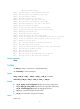
# Display the first line that begins with "user-group" in the running configuration and all of the following
lines.
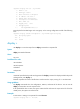
<Sysname> display current-configuration | by-linenum begin user-group
114: user-group system
115- #
116- return
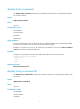
display >
Use display > to save the output from a display command to a separate file.
Syntax
display command > filename
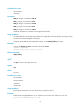
Views
Any view
Predefined user roles
network-admin
network-operator
mdc-admin
mdc-operator
Parameters
command: Specifies the keywords and arguments of a display command. To display available keywords
and arguments, enter display ?.
filename: Specifies the name of the file that is used to save the output, a string of 1 to 63 characters.
Usage guidelines
The display commands show the configuration, statistics, and states of the device. You can use the
display > command to save the output to a file.
If the specified file does not exist, the system creates the file and saves the output to the file. If the file
already exists, the system overwrites the file.
Examples
# Save VLAN 1 settings to a separate file named vlan.txt.
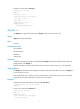
<Sysname> display vlan 1 > vlan.txt