
R211x-HP Flexfabric 11900 Fundamentals Command Reference
128
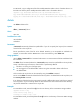
<Sysname> delete /unreserved 2.cfg
The file cannot be restored. Delete flash:/2.cfg?[Y/N]:y
Deleting the file permanently will take a long time. Please wait...
Deleting file flash:/2.cfg...Done.
# In standalone mode, remove the 1.cfg file from the root directory of the storage medium on the standby
MPU (in slot 4):
• Method 1
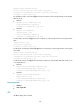
<Sysname> delete slot4#flash:/1.cfg
Delete slot4#flash:/1.cfg?[Y/N]:y
Deleting file slot4#flash:/1.cfg...Done.
• Method 2
<Sysname> cd slot4#flash:/
<Sysname> delete 1.cfg
Delete slot4#flash:/1.cfg?[Y/N]:y
Deleting file slot4#flash:/1.cfg...Done.
# In IRF mode, remove the 1.cfg file from the root directory of the storage medium on the global active
MPU.
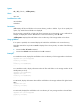
<Sysname> delete 1.cfg
Delete flash:/1.cfg?[Y/N]:y
Deleting file flash:/1.cfg...Done.
# In IRF mode, permanently delete file 2.cfg from the root directory of the storage medium on the global
active MPU.
<Sysname> delete /unreserved 2.cfg
The file cannot be restored. Delete flash:/2.cfg?[Y/N]:y
Deleting the file permanently will take a long time. Please wait...
Deleting file flash:/2.cfg...Done.
# In IRF mode, remove the 1.cfg file from the Flash root directory of the standby MPU that resides in slot
5 of member device 1:
• Method 1
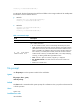
<Sysname> delete chassis1#slot5#flash:/1.cfg
Delete chassis1#slot5#flash:/1.cfg?[Y/N]:y
Deleting file chassis1#slot5#flash:/1.cfg...Done.
• Method 2
<Sysname> cd chassis1#slot5#flash:/
<Sysname> delete 1.cfg
Delete chassis1#slot5#flash:/1.cfg?[Y/N]:y
Deleting file chassis1#slot5#flash:/1.cfg...Done.
Related commands
• undelete
• reset recycle-bin
dir
Use dir to display files or folders.