
R211x-HP Flexfabric 11900 Fundamentals Command Reference
129
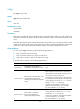
Syntax
dir [ /all ] [ file-url | /all-filesystems ]
Views
User view
Predefined user roles
network-admin
mdc-admin
Parameters
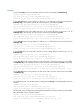
/all: Displays all files and folders in the current directory, visible or hidden. If you do not specify this
option, only visible files and folders are displayed.
file-url: Displays a specific file or folder. The file-url argument can use the asterisk (*) as a wildcard. For
example, to display files with the .txt extension in the current directory, enter dir *.txt.
/all-filesystems: Displays files and folders in the root directory of all storage media on the device.
Usage guidelines
If no option is specified, the command displays all visible files and folders in the current directory.
The folder name of the recycle bin is .trash. To display files in the recycle bin, use either of the following
methods:
• Execute the dir /all .trash command.
• Execute the cd .trash command and then the dir command.
Examples
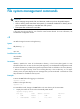
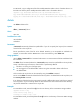
# In standalone mode, display files and folders in the root directory of all storage media on the device.
<Sysname> dir /all-filesystems
Directory of flash:/
...
Directory of slot5#flash:/
...
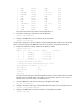
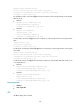
# In standalone mode, display information about all files and folders in the storage medium of the
standby MPU (in slot 5).
<Sysname> cd slot5#flash:/
<Sysname> dir /all
Directory of slot5#flash:/
...
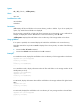
# In IRF mode, display information about all files and folders in the storage medium of the global active
MPU.
<Sysname> dir /all
Directory of flash:/
...
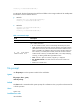
# In IRF mode, display files and folders in the root directory of every storage medium in the IRF fabric.
<Sysname> dir /all-filesystems
Directory of flash:/
...