
R211x-HP Flexfabric 11900 Fundamentals Command Reference
134
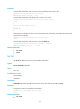
Syntax
mkdir directory
Views
User view
Predefined user roles
network-admin
mdc-admin
Parameters
directory: Specifies the name of a folder.
Usage guidelines
The name of the folder to be created must be unique in the specified directory.
To use this command to create a folder, the specified directory must exist. For example, to create the
flash:/test/mytest folder, the test folder must exist. Otherwise, the mytest folder is not created.
Examples
# Create the test folder in the current directory.
<Sysname> mkdir test
Creating directory flash:/test... Done.
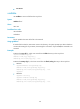
# Create the test/subtest folder in the current directory.
<Sysname> mkdir test/subtest
Creating directory flash:/test/subtest... Done.
# In standalone mode, create the test folder on the standby MPU (in slot 5).
<Sysname> mkdir slot5#flash:/test
Creating directory slot5#flash:/test... Done.
# In IRF mode, create the test folder on the active MPU of the IRF fabric.
<Sysname> mkdir test
Creating directory flash:/test... Done.
# In IRF mode, create the test folder on the standby MPU that resides in slot 5 of member device 2.
<Sysname> mkdir chassis2#slot5#flash:/test
Creating directory chassis2#slot5#flash:/test... Done.
more
Use more to display the contents of a text file.
Syntax
more file-url
Views
User view
Predefined user roles
network-admin
mdc-admin