
R211x-HP Flexfabric 11900 Fundamentals Command Reference
145
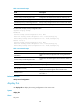
interface [ interface-type [ interface-number ] ]: Displays interface configuration, where the interface-type
argument represents the interface type and the interface-number argument represents the interface
number.
Usage guidelines
Use this command to verify the running configuration you have made.
Typically, this command does not display parameters that are set to their default settings.
If the system has automatically changed the setting you have made for a parameter, for example, due to
a system restriction, this command displays the effective setting rather than the configured one.
Examples
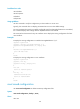
# Display local user configuration.
<Sysname> display current-configuration configuration local-user
#
local-user root class manage
password hash
$h$6$Twd73mLrN8O2vvD5$Cz1vgdpR4KoTiRQNE9pg33gU14Br2p1VguczLSVyJLO2huV5Syx/LfDIf8ROLtV
ErJ/C31oq2rFtmNuyZf4STw==
service-type ssh telnet terminal
authorization-attribute user-role network-admin
authorization-attribute user-role network-operator
#
return
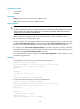
# Display the running configuration on Ten-GigabitEthernet 1/0/1.
<Sysname> display current-configuration interface ten-gigabitethernet 1/0/1
#
interface Ten-GigabitEthernet1/0/1
port link-mode route
#
return
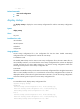
display default-configuration
Use display default-configuration to display the factory defaults.
Syntax
display default-configuration
Views
Any view
Predefined user roles
network-admin
network-operator
mdc-admin
mdc-operator