
R211x-HP Flexfabric 11900 Fundamentals Command Reference

168
ISSU commands
display install active
Use display install active to display active software images.
Syntax
In standalone mode:
display install active [ slot slot-number ] [ verbose ]
In IRF mode:
display install active [ chassis chassis-number slot slot-number ] [ verbose ]
Views
Any view
Predefined user roles
network-admin
network-operator
Parameters
slot slot-number: Specifies a card by its slot number. If you do not specify this option, the command is
applied to all cards in the device. (In standalone mode.)
chassis chassis-number slot slot-number: Specifies a card on an IRF member. If you do not specify this
option, the command is applied to all cards in the IRF fabric. (In IRF mode.)
verbose: Displays detailed information. If you do not specify this keyword, the command displays only
the names of the active software images.
Examples
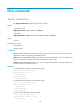
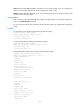
# In standalone mode, display active software images.
<Sysname> display install active
Active packages on slot 5:
flash:/boot.bin
flash:/system.bin
flash:/feature1.bin
# In standalone mode, display active software images.
<Sysname> display install active
Active packages on slot 5:
flash:/boot.bin
flash:/system.bin
flash:/feature1.bin
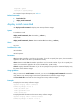
# In IRF mode, display active software images.
<Sysname> display install active
Active packages on chassis 1 slot 5:
flash:/boot.bin