
R211x-HP Flexfabric 11900 Fundamentals Command Reference
172
Component: system
Description: system package
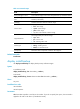
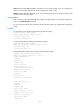
For command output descriptions, see Table 21.
Related commands
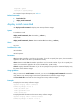
• boot-loader file
• display install committed
display install committed
Use display install committed to display main startup software images.
Syntax
In standalone mode:
display install committed [ slot slot-number ] [ verbose ]
In IRF mode:
display install committed [ chassis chassis-number slot slot-number ] [ verbose ]
Views
Any view
Predefined user roles
network-admin
network-operator
Parameters
slot slot-number: Specifies a card by its slot number. If you do not specify this option, the command is
applied to all cards in the device. (In standalone mode.)
chassis chassis-number slot slot-number: Specifies a card on an IRF member. If you do not specify this
option, the command is applied to all cards in the IRF fabric. (In IRF mode.)
verbose: Displays detailed information. If you do not specify this keyword, the command displays only
the names of the software images.
Usage guidelines
After you execute the install commit command, you can use the display install committed command to
verify that the main startup image list has been updated with the software image change.
The boot-loader file command can also change main startup software images.
Examples
# Display the main startup software images.
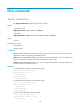
<Sysname> display install committed
Committed packages on slot 5:
flash:/boot-R2110.bin
flash:/system-R2110.bin
flash:/feature.bin
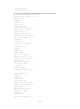
# Display detailed information about main startup software images.
<Sysname> display install committed verbose
Committed packages on chassis 1 slot 5: