
R211x-HP Flexfabric 11900 Fundamentals Command Reference
181
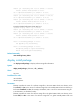
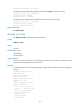
Rollback time remaining : 40 minutes
# Display automatic-rollback timer information after the issu accept command is executed.
<Sysname> display issu rollback-timer
Rollback timer: Not working
Rollback interval: 30 minutes
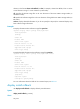
# Display automatic-rollback timer information when no ISSU process is going on.
<Sysname> display issu rollback-timer
Rollback timer: Not working
Rollback interval: 45 minutes
Related commands
issu rollback-timer
display issu state
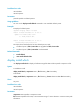
Use display issu state to display ISSU status information.
Syntax
display issu state
Views
Any view
Predefined user roles
network-admin
network-operator
Usage guidelines
The key to an ISSU is to follow the correct upgrade procedure. You can use this command to view the
ISSU status and thereby determine what to do next.
Examples
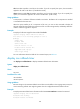
# In standalone mode or IRF mode (single-chassis), display ISSU status information when no upgrade is
going on.
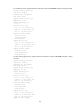
<Sysname> display issu state
ISSU state: Init
Compatibility: Unknown
Work state: Normal
Upgrade method: Card by card
Upgraded slot: None
Current upgrading slot: None
Current version list:
boot: 7.1.045, Release 2110
system: 7.1.045, Release 2110
ssh: 7.1.045, Release 2110
Current software images:
flash:/boot.bin
flash:/system.bin
flash:/ssh.bin