
R211x-HP Flexfabric 11900 Fundamentals Command Reference
190
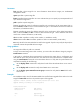
Syntax
install abort [ job-id ]
Views
User view
Predefined user roles
network-admin
Parameters
job-id: Specifies the job ID of an ISSU operation. If you do not specify this argument, the command aborts
all ongoing software image activate, deactivate, and rollback operations.
Usage guidelines
After you issue the install activate, install add, install commit, install deactivate, install remove, or install
rollback to command, the system creates a software image management job. To monitor and manage
software image management jobs, the system assigns each job a unique job ID. Each job ID represents
a single command.
You can abort only a software image activate or deactivate operation that is being executed.
To obtain the ID of a job, use the display install job command.
Examples
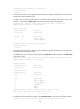
# Abort a software image operation.
<Sysname> install abort
Related commands
display install job
install activate
Use install activate to activate software images, or check for the ISSU method to be used for the upgrade
and view the possible impact of the upgrade.
Syntax
In standalone mode:
install activate { boot filename | system filename | feature filename&<1-30> } * slot slot-number [ test ]
install activate patch filename slot slot-number
In IRF mode:
install activate { boot filename | system filename | feature filename&<1-30> } * chassis chassis-number
slot slot-number [ test ]
install activate patch filename chassis chassis-number slot slot-number
Views
User view
Predefined user roles
network-admin