
R211x-HP Flexfabric 11900 Fundamentals Command Reference

193
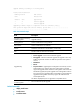
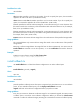
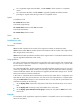
Upgrade summary according to following table:
flash:/route-feature.bin
Running Version New Version
None Release 2111
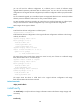
Chassis Slot Upgrade Way
1 4 Service Upgrade
1 5 Service Upgrade
Upgrading software images to compatible versions. Continue? [Y/N]:y
This operation maybe take several minutes, please wait..........................
.............................................Done.
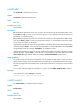
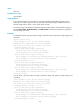
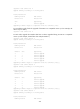
Table 24 Command output
Field Description
Upgrade summary according
to following table
Upgrade summary.
Running Version Version number of the running software.
New Version Version number of the new software.
Chassis Member ID of the device in the IRF fabric. (In IRF mode.)
Slot Number of the slot where the card resides.
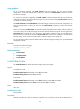
Upgrade Way
ISSU methods:
• Service Upgrade—Service-level incremental upgrade.
• File Upgrade—File-level incremental upgrade. The upgrade involves only
hidden program files and does not affect the operation of the system or
services.
• ISSU Reboot.
• Reboot.
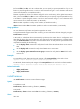
• Sequence Reboot—Upgrading the switching fabric cards one by one. This
method applies only when the device has switching fabric cards that
support this upgrade method. When the switching fabric cards need to be
rebooted for upgrade, the system upgrades one switching fabric card at a
time, and continues to upgrade another switching fabric card only after the
upgraded switching fabric card starts up again. This method ensures
uninterrupted services.
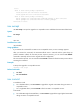
This field is displayed only for an upgrade to a compatible version.
Influenced service according
to following table
Services influenced by the upgrade.
Related commands
• display install active
• install commit
• install deactivate