
R211x-HP Flexfabric 11900 Fundamentals Command Reference
197
Predefined user roles
network-admin
Parameters
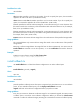
slot slot-number: Specifies a card by its slot number. If you do not specify this option, the command is
applied to all cards in the device. (In standalone mode.)
chassis chassis-number slot slot-number: Specifies a card on an IRF member. If you do not specify this
option, the command is applied to all cards in the IRF fabric. (In IRF mode.)
filename: Specifies the name of a software image file, a case-insensitive string of 1 to 63 characters. This
file must be saved in the root directory of the active MPU's Flash and use the extension .bin, for example,
flash:/a.bin. (In standalone mode.)
filename: Specifies the name of a software image file, a case-insensitive string of 1 to 63 characters. This
file must be saved in the root directory of the Flash on the global active MPU and use the extension .bin,
for example, flash:/a.bin. (In IRF mode.)
inactive: Removes all inactive software image files in the root directories of the specified storage media.
Usage guidelines
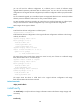
This command deletes only inactive software image files saved in the root directories of the specified
storage media.
Removing a software image deletes the image file from the device permanently. You cannot use the
install rollback to command to revert the operation, or use the install abort command to abort the
operation.
Examples
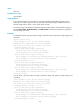
# Remove inactive software image file flash:/feature1.bin.
<Sysname> install remove flash:/feature1.bin
install rollback to
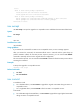
Use install rollback to to roll back the software configuration to an earlier rollback point.
Syntax
install rollback to { point-id | original }
Views
User view
Predefined user roles
network-admin
Parameters
point-id: Specifies a rollback point ID. This option is supported only when there are two or more rollback
points. To view available rollback points, use the display install rollback command.
original: Rolls back to the software configuration before you perform an ISSU.
Usage guidelines
Every time you activate or deactivate a software image for an incremental upgrade, the system creates
a rollback point to record the current software configuration. Before you execute the install commit
command to confirm the software changes (executing this command also removes all rollback points),