
R211x-HP Flexfabric 11900 Fundamentals Command Reference
198
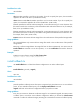
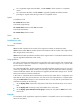
you can roll back the software configuration to a rollback point to cancel all software image
upgrade-related operations performed after the rollback point. You can also roll back the software
configuration to the original software configuration (the software configuration before you performed the
ISSU).
For an incremental upgrade, up to 50 rollback points are supported. After the limit is reached, the oldest
rollback points are deleted to make room for newly created rollback points.
For ISSU upgrades and reboot upgrades, the system does not record and maintain any rollback point,
and you can roll back the software configuration only to the original software configuration.
Patch images do not support rollback.
Examples
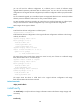
# Roll back the software configuration to rollback point 1.
<Sysname>install rollback to 1
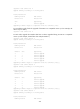
# Roll back the software configuration to the original software configuration and observe the change
made by the rollback.
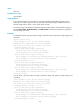
<Sysname> display install active
Active packages on slot 5:
flash:/boot-R2110.bin
flash:/system-R2110.bin
flash:/feature1-R2110.bin
<Sysname> display install rollback
Install rollback information 1 on slot 5:
Update from no package
to flash:/feature1-R2110.bin.
The output shows that currently three images are active but only two of them are confirmed. Image
flash:/feature1-R2110.bin is not confirmed yet.
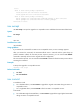
<Sysname> install rollback to original
<Sysname> display install active
Active packages on slot 5:
flash:/boot-R2110.bin
flash:/system-R2110.bin
<Sysname> display install committed
Committed packages on slot 5:
flash:/boot-R2110.bin
flash:/system-R2110.bin
The output shows the device is rolled back to the original software configuration and image
flash:/feature1-R2110.bin has been removed.
Related commands
display install rollback
install verify
Use install verify to verify the software change confirmation status and software image integrity and
consistency.
Syntax
install verify