
R211x-HP Flexfabric 11900 Fundamentals Command Reference
199
Views
User view
Predefined user roles
network-admin
Usage guidelines
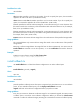
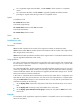
If some software images are not integral or some activated/deactivated software images are not
confirmed, a switchover might not occur as expected, and the MPUs might run different versions of
software images after a reboot or even cannot reboot correctly.
To solve the problem, download and install the software images again to ensure software integrity, or
use the install activate, install deactivate, and install commit commands as appropriate to guarantee
software image consistency.
Examples
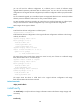
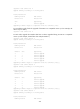
# In standalone mode, verify the software change confirmation status and software image integrity and
consistency.
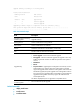
<Sysname> install verify
Active packages on slot 5 are the reference packages.
Packages will be compared with the reference packages.
This operation will take several minutes, please wait...
Verifying packages on slot 4:
Start to check active package completeness.
flash:/boot-r2110.bin verification successful.
flash:/system-r2110.bin verification successful.
Start to check active package consistency.
Active packages are consistent with committed packages on their own board.
Active packages are consistent with the reference packages.
Verifying packages on slot 5:
Start to check active package completeness.
flash:/boot-r2110.bin verification successful.
flash:/system-r2110.bin verification successful.
Start to check active package consistency.
Active packages are consistent with committed packages on their own board.
Active packages are consistent with the reference packages.
Verification is done.
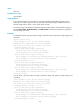
# In IRF mode, verify the software change confirmation status and software image integrity and
consistency.
Active packages on slot 5 are the reference packages.
Packages will be compared with the reference packages.
This operation will take several minutes, please wait...
Verifying packages on chassis 1 slot 4:
Start to check active package completeness.
flash:/boot-r2110.bin verification successful.
flash:/system-r2110.bin verification successful.
Start to check active package consistency.
Active packages are consistent with committed packages on their own board.
Active packages are consistent with the reference packages.
Verifying packages on chassis 1