
R211x-HP Flexfabric 11900 Fundamentals Command Reference
201
• For a single-MPU single-chassis IRF fabric, use issu commit to finish an ISSU to a compatible
version.
• For a multichassis IRF fabric, use issu commit to upgrade ungraded subordinate members
(including the original master) during an ISSU to a compatible version.
Syntax
In standalone mode:
issu commit slot slot-number
In IRF mode (single-chassis):
issu commit chassis chassis-number slot slot-number
In IRF mode (multichassis):
issu commit chassis chassis-number
Views
User view
Predefined user roles
network-admin
Parameters
slot slot-number: Specifies the slot number of the original active MPU. (In standalone mode.)
chassis chassis-number slot slot-number: Specifies the member ID and slot number of the original active
MPU. (Single-chassis in IRF mode.)
chassis chassis-number: Specifies the member ID of the original master or a subordinate member that has
not been upgraded. (Multichassis in IRF mode.)
Usage guidelines
For a device operating in standalone mode or an IRF fabric with a single member, this command ends
the ISSU process. When this command is completed, the ISSU status changes to Init, and the ISSU
process cannot be rolled back.
For a multichassis IRF fabric, use this command to upgrade subordinate members one by one. You must
wait for the upgraded subordinate member to start up again and join the IRF fabric before upgrading
another subordinate member. After all members are upgraded, the ISSU status changes to Init, and the
ISSU process ends and cannot be rolled back.
In IRF mode, a subordinate device automatically synchronizes the master device's configuration and
status data at reboot. This process takes time. You must wait for the synchronization to complete before
using the install commit command on the subordinate device. To verify that the synchronization has
completed successfully, do the following:
• Use the display device command to verify that all cards of the subordinate device are in normal
state.
• Use the display mdc command to verify that all MDCs are in active state.
• Use the display system internal ha service-group command to verify that the Action field is 0 for
each service.
Examples
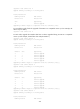
# In standalone mode, upgrade the original active MPU to a compatible version. (In this example, the
device has two MPUs.)