
R211x-HP Flexfabric 11900 Fundamentals Command Reference
203
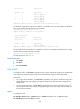
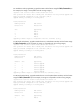
Release 2110 Release 2111
Chassis Slot Upgrade Way
1 0 Service Upgrade
1 1 Service Upgrade
1 2 Service Upgrade
1 3 Service Upgrade
1 4 Service Upgrade
Upgrading software images to compatible versions. Continue? [Y/N]:y
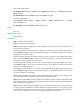
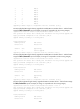
# In IRF mode, upgrade the original active MPU to a compatible version. (In this example, the IRF fabric
has a single member and the member has two MPUs.)
<Sysname> issu commit chassis 1 slot 4
Upgrade summary according to following table:
flash:/feature.bin
Running Version New Version
Release 2110 Release 2111
Chassis Slot Upgrade Way
1 4 Service Upgrade
Upgrading software images to compatible versions. Continue? [Y/N]:y
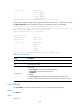
# In IRF mode, finish the upgrade to a compatible version. (In this example, the IRF fabric has a single
member and the member has only one MPU.)
<Sysname> issu commit chassis 1 slot 4
For field descriptions, see Table 23.
Related commands
• issu accept
• issu load
• issu run switchover
issu load
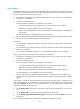
In standalone mode, use issu load to upgrade the boot, system, and feature images of the standby MPU
and configure the upgrade images as the main startup software images for the standby MPU.
In IRF mode:
• For a single-chassis IRF fabric, use issu load to upgrade the boot, system, and feature images of a
global standby MPU and configure the upgrade images as the startup software images for the
standby MPU.
• For a multichassis IRF fabric, use issu load to upgrade the boot, system, and feature images of
subordinate members and configure the upgrade images as the main startup software images for
the subordinate members.
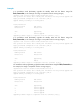
Syntax
In standalone mode:
issu load file { boot filename | system filename | feature filename&<1-30> } * slot slot-number
issu load file ipe ipe-filename slot slot-number