
R211x-HP Flexfabric 11900 Fundamentals Command Reference
206
Examples
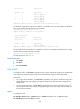
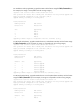
# In standalone mode (dual-MPU), upgrade the standby MPU with the feature image file
flash:/feature.bin. (In this example, the image is compatible with the running images.)
<Sysname> issu load file feature flash:/feature.bin slot 5
This operation will delete the rollback point information for the previous upgrade and
maybe get unsaved configuration lost. Continue? [Y/N]:Y
Upgrade summary according to following table:
flash:/feature.bin
Running Version New Version
Release 2110 Release 2111
Slot Upgrade Way
5 Service Upgrade
Upgrading software images to compatible versions. Continue? [Y/N]:y
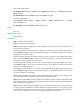
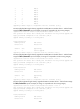
# In standalone mode (dual-MPU), upgrade the standby MPU with the feature image file
flash:/feature.bin. (In this example, the image is incompatible with the running images.)
<Sysname> issu load file feature flash:/feature.bin slot 5
This operation will delete the rollback point information for the previous upgrade and
maybe get unsaved configuration lost. Continue? [Y/N]:Y
Upgrade summary according to following table:
flash:/feature.bin
Running Version New Version
Release 2110 Release 2111
Slot Upgrade Way
5 Reboot
Upgrading software images to incompatible versions. Continue? [Y/N]:y
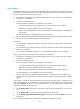
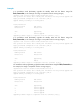
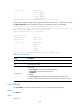
# In standalone mode (single-MPU), upgrade the MPU with the feature image file flash:/feature.bin. (In
this example, the image is compatible with the running images.)
<Sysname>issu load file feature flash:/feature.bin slot 4
This operation will delete the rollback point information for the previous upgrade and
maybe get unsaved configuration lost. Continue? [Y/N]:Y
Upgrade summary according to following table:
flash:/feature.bin
Running Version New Version
Release 2110 Release 2111
Slot Upgrade Way
0 Service Upgrade
2 Service Upgrade
3 Service Upgrade
4 Service Upgrade
Upgrading software images to compatible versions. Continue? [Y/N]:y