
R211x-HP Flexfabric 11900 Fundamentals Command Reference

253
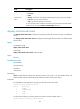
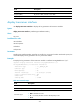
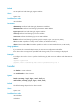
Field Descri
p
tion
Last execution
status
Result of the most recent execution:
• Successful.
• Failed.
• Waiting—The device is executing the schedule and the job is waiting to be executed.
• In process—The job is being executed.
• -NA-—The execution time has not arrived yet.
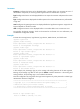
To view information about whether the commands in the job has been executed and the
execution results, execute the display scheduler logfile command.
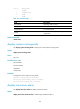
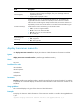
display switch-mode status
Use display switch-mode status to display the operating mode of all cards on the switch. (In standalone
mode.)
Use display switch-mode status chassis to display the operating mode of all cards on a member switch.
(In IRF mode.)
Syntax
In standalone mode:
display switch-mode status
In IRF mode:
display switch-mode status chassis chassis-number
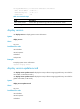
Views
Any view
Predefined user roles
network-admin
network-operator
mdc-admin
mdc-operator
Parameters
chassis chassis-number: Displays the operating modes of all cards on an IRF member device. The
chassis-number argument represents the IRF member ID of the switch. (In IRF mode.)
Examples
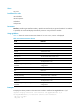
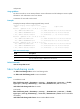
# In standalone mode, display the operating mode of all cards on the switch.
<Sysname> display switch-mode status
Slot No. Switch-Mode
0 NORMAL
3 STANDARD-IPV6
4 NONE
10 NONE
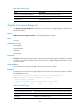
# In IRF mode, display the operating mode of all cards on the IRF member device 1.
<Sysname>display switch-mode status chassis 1