
R211x-HP Flexfabric 11900 Fundamentals Command Reference
25
Usage guidelines
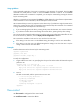
Some commands might take a long time to complete in some situations, for example, when the ping
command has 1000 packets to send or when the tracert command is used for an unreachable
destination. Before such a command is completed, you can stop the command by pressing the shortcut
key for terminating tasks.
Whether a command can be terminated by Ctrl+C by default depends on the software implementation
of the command. For more information, see the description of the command.
HP recommends that you use a key sequence as the shortcut key. If you define a single character as the
shortcut key, pressing the key while a command is being executed stops the command. If no command
is being executed, the result depends on the following:
• If you are managing the local device, pressing the key enters the character as a common character.
• If you Telnet to another device and manage the remote device, pressing the key does nothing.
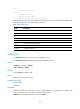
You can execute this command multiple times, but only the most recent configuration takes effect. To view
the current shortcut key definition, use the display current-configuration command.
This command is available in both user line view and user line class view:
• If the setting in user line view is not the default setting, the setting in user line view takes effect.
• If the setting in user line view is the default setting but the setting in user line class view is not, the
setting in user line class view takes effect.
Examples
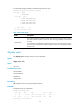
# Define character a as the shortcut key for terminating a task.
<Sysname> system-view
[Sysname] line aux 1
[Sysname-line-aux1] escape-key a
To verify the configuration:
1. Ping IP address 192.168.1.49, specifying the -c keyword to set the number of ICMP echo request
packets to 20.
<Sysname> ping -c 20 192.168.1.49
PING 192.168.1.49: 56 data bytes, press a to break
Reply from 192.168.1.49: bytes=56 Sequence=1 ttl=255 time=3 ms
Reply from 192.168.1.49: bytes=56 Sequence=2 ttl=255 time=3 ms
2. Press a.
The task is terminated, and the system returns to user view.
--- 192.168.1.49 ping statistics ---
2 packet(s) transmitted
2 packet(s) received
0.00% packet loss
round-trip min/avg/max = 3/3/3 ms
<Sysname>
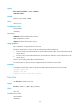
flow-control
Use flow-control to configure the flow control mode.
Use undo flow-control to restore the default.