
R211x-HP Flexfabric 11900 Fundamentals Command Reference
26
Syntax
flow-control { hardware | none | software }
undo flow-control
Default
The flow control mode is none.
Views
User line view
Predefined user roles
network-admin
mdc-admin
Parameters
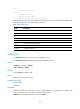
hardware: Performs hardware flow control.
none: Disables flow control.
software: Performs software flow control.
Usage guidelines
This command is not supported in VTY line view.
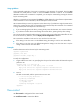
The device supports flow control in both the inbound and outbound directions:
• For flow control in the inbound direction, the local device listens to flow control information from the
remote device.
• For flow control in the outbound direction, the local device sends flow control information to the
remote device.
The flow control setting takes effect in both directions.
To communicate, two devices must be configured with the same flow control mode.
Examples
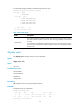
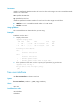
# Configure software flow control in the inbound and outbound directions for user line AUX 1.
<Sysname> system-view
[Sysname] line aux 1
[Sysname-line-aux1] flow-control software
free line
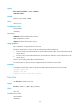
Use free line to release a user line.
Syntax
free line { number1 | { aux | vty } number2 }
Views
User view
Predefined user roles
network-admin
mdc-admin