
R211x-HP Flexfabric 11900 Fundamentals Command Reference
28
Parameters
number1: Specifies the absolute number of a user line. The value range is 0 to 65 in standalone mode
and 0 to 71 in IRF mode.
aux: Specifies the AUX line.
vty: Specifies the VTY line.
number2: Specifies the relative number of a user line. The value ranges are as follows:
• AUX line—0 to 1 in standalone mode and 0 to 7 in IRF mode.
• VTY line—0 to 63.
Usage guidelines
This command does not release the line you are using.
This is an older command reserved for backward compatibility purposes. Although it has the same
functionality and output as the free line command, HP recommends you use the free line command.
Examples
# Release user line VTY 1:
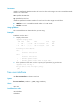
1. Display online users.
<Sysname> display users
Idx LINE Idle Time Pid Type
10 VTY 0 00:10:49 Jun 11 11:27:32 320 TEL
+ 11 VTY 1 00:00:00 Jun 11 11:39:40 334 TEL
Following are more details.
VTY 0 :
Location: 192.168.1.12
VTY 1 :
Location: 192.168.1.26
+ : Current operation user.
F : Current operation user works in async mode.
2. If the operations of the user on VTY 1 impact your operations, log out the user.
<Sysname> free user-interface vty 1
Are you sure to free line vty1? [Y/N]:y
[OK]
history-command max-size
Use history-command max-size to set the size of the command history buffer for a user line.
Use undo history-command max-size to restore the default.
Syntax
history-command max-size size-value
undo history-command max-size
Default
The buffer of a user line saves up to 10 history commands.