
R211x-HP Flexfabric 11900 Fundamentals Command Reference
30
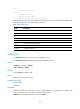
Parameters
minutes: Specifies the number of minutes for the idle timeout, in the range of 0 to 35791. The default is
10 minutes.
seconds: Specifies the number of seconds for the idle timeout, in the range of 0 to 59. The default is 0
seconds.
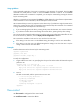
Usage guidelines
The system automatically terminates the user connection on the user line if there is no information
interaction between the device and the user within the idle-timeout interval.
Setting the idle timeout to 0 disables the idle timeout function.
This command is available in both user line view and user line class view:
• If the setting in user line view is not the default setting, the setting in user line view takes effect.
• If the setting in user line view is the default setting but the setting in user line class view is not, the
setting in user line class view takes effect.
Examples
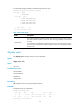
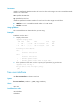
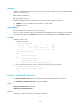
# Set the idle timeout to 1 minute and 30 seconds for user line AUX 1.
<Sysname> system-view
[Sysname] line aux 1
[Sysname-line-aux1] idle-timeout 1 30
line
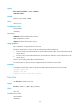
Use line to enter one or multiple user line views.
Syntax
line { first-number1 [ last-number1 ] | { aux | vty } first-number2 [ last-number2 ] }
Views
System view
Predefined user roles
network-admin
mdc-admin
Parameters
first-number1: Specifies the absolute number of the first user line. The value range is 0 to 65 in standalone
mode and 0 to 71 in IRF mode.
last-number1: Specifies the absolute number of the last user line. This number cannot be smaller than
first-number1.
aux: Specifies the AUX line.
vty: Specifies the VTY line.
first-number2: Specifies the relative number of the first user line. The value ranges are as follows:
• AUX line—0 to 1 in standalone mode and 0 to 7 in IRF mode.
• VTY line—0 to 63.