
R211x-HP Flexfabric 11900 Fundamentals Command Reference
32
• A setting in user line view takes effect immediately and affects the online user. A setting in user line
class view does not affect online users and takes effect only for users who log in after the
configuration is completed.
Examples
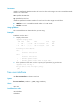
# Set the user connection timeout to 15 minutes in VTY line class view.
<Sysname> system-view
[Sysname] line class vty
[Sysname-line-class-vty] idle-timeout 15
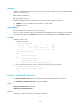
# In AUX line class view, configure character s as the shortcut key for starting a terminal session.
<Sysname> system-view
[Sysname] line class aux
[Sysname-line-class-aux] activation-key s
[Sysname-line-class-aux] quit
# In AUX 1 line view, restore the default shortcut key for starting a terminal session.
[Sysname] line aux 1
[Sysname-line-aux1] undo activation-key
Alternatively:
[Sysname-line-aux1] activation-key 13
To verify the configuration:
1. Exit the console session.
[Sysname-line-aux1] return
<Sysname> quit
2. Log in again through the AUX line.
The following message appears:
Press ENTER to get started.
3. Press Enter.
Pressing Enter does not start a session.
4. Enter s.
A terminal session is started.
<Sysname>
Related commands
line
lock
Use lock to lock the current user line. This method prevents unauthorized users from using the user line.
Syntax
lock
Default
By default, the system does not lock any user line.
Views
User view