
R211x-HP Flexfabric 11900 Fundamentals Command Reference
45
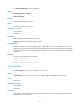
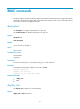
Default
The Telnet server function is disabled.
Views
System view
Predefined user roles
network-admin
mdc-admin
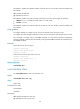
Usage guidelines
This command is not supported in FIPS mode.
Administrators can Telnet to the device only when the Telnet server function is enabled.
Examples
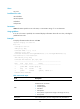
# Enable the Telnet server function.
<Sysname> system-view
[Sysname] telnet server enable
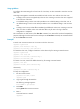
telnet server ipv6 acl
Use telnet server ipv6 acl to apply an IPv6 ACL to filter IPv6 Telnet logins.
Use undo telnet server ipv6 acl to restore the default.
Syntax
telnet server ipv6 acl [ ipv6 ] acl-number
undo telnet server ipv6 acl
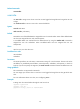
Default
No ACL is used to filter IPv6 Telnet logins.
Views
System view
Predefined user roles
network-admin
mdc-admin
Parameters
acl-number: Specifies an IPv6 ACL by its number:
• Basic ACL—2000 to 2999. The ipv6 option is required.
• Advanced ACL—3000 to 3999. The ipv6 option is required.
• Ethernet frame header ACL—4000 to 4999. Do not specify the ipv6 option.
Usage guidelines
This command is not supported in FIPS mode.
If the ACL does not exist or does not have a rule, all users are permitted to Telnet to the device.
When the ACL exists and has rules, only users permitted by the ACL can Telnet to the device.