
R211x-HP Flexfabric 11900 Fundamentals Command Reference
47
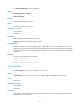
Use undo terminal type to restore the default.
Syntax
terminal type { ansi | vt100 }
undo terminal type
Default
The terminal display type is ANSI.
Views
User line view, user line class view
Predefined user roles
network-admin
mdc-admin
Parameters
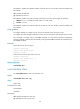
ansi: Specifies the terminal display type ANSI.
vt100: Specifies the terminal display type VT100.
Usage guidelines
The device supports two terminal display types: ANSI and VT100. HP recommends that you set the
display type to VT100 on both the device and the configuration terminal. If either side uses the ANSI type,
a display problem such as cursor positioning error might occur when a command line has more than 80
characters.
Examples
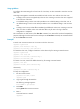
# Set the terminal display type to VT100.
<Sysname> system-view
[Sysname] line vty 0
[Sysname-line-vty0] terminal type vt100
user-interface
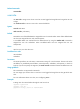
Use user-interface to enter one or multiple user line views.
Syntax
user-interface { first-number1 [ last-number1 ] | { aux | vty } first-number2 [ last-number2 ] }
Views
System view
Predefined user roles
network-admin
mdc-admin
Parameters
first-number1: Specifies the absolute number of the first user line. The value range is 0 to 65 in standalone
mode and 0 to 71 in IRF mode.