
R211x-HP Flexfabric 11900 Fundamentals Command Reference
66
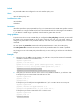
You cannot delete the predefined user roles or change the permissions assigned to network-admin,
network-operator, mdc-admin, mdc-operator, level-15, or security-audit.
Level-0 to level-14 users can modify their own permissions for any commands except for the display
history-command all command.
Examples
# Create the user role role1 and enter its view.
<Sysname> system-view
[Sysname] role name role1
[Sysname-role-role1]
Related commands
• display role
• interface policy deny
• rule
• vlan policy deny
• vpn-instance policy deny
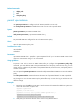
role default-role enable
Use role default-role enable to enable the default user role feature for remote AAA users.
Use undo role default-role enable to restore the default.
Syntax
role default-role enable
undo role default-role enable
Default
The default user role function is disabled. AAA users who do not have a user role cannot log in to the
device.
Views
System view
Predefined user roles
network-admin
mdc-admin
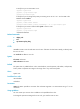
Usage guidelines
An AAA authentication user must have at least one user role to log in to the device. The default user role
function assigns the network-operator or mdc-operator user role to a local or remote AAA authenticated
user if the AAA server has not authorized the user to use any user roles. Without the function, AAA
authenticated users cannot access the system if they have no user role authorization.
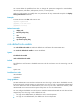
You can configure the default user role function to enable an AAA authenticated user who has not been
assigned any user role to log in with a default user role.
• For login to the default MDC, the default user role is network-operator.
• For login to a non-default MDC, the default user role is mdc-operator.