
R211x-HP Flexfabric 11900 Fundamentals Command Reference
67
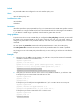
If AAA users have been assigned user roles, they log in with the user roles.
Examples
# Enable the default user role feature.
<Sysname> system-view
[Sysname] role default-role enable
Related commands
role
role feature-group
Use role feature-group to create a user role feature group and enter user role feature group view.
Use undo role feature-group to delete a user role feature group.
Syntax
role feature-group name feature-group-name
undo role feature-group name feature-group-name
Default
Two user role feature groups, L2 and L3, are created.
Views
System view
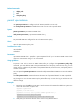
Predefined user roles
network-admin
mdc-admin
Parameters
name feature-group-name: Specifies a feature group name. The feature-group-name argument is a
case-sensitive string of 1 to 31 characters.
Usage guidelines
Assign a set of features to a user role feature group for easy permission assignment management.
In addition to the predefined feature groups L2 and L3, you can create up to 64 user role feature groups.
The L2 feature group includes all Layer 2 feature commands, and the L3 feature group includes all Layer
3 feature commands. These predefined feature groups cannot be deleted.
After you create a user role feature group, you can use the display role feature command to display the
features available in the system and use the feature command to add features to the feature group.
Examples
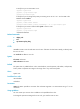
# Create the feature group security-features.
<Sysname> system-view
[Sysname] role feature-group name security-features
[Sysname-featuregrp-security-features]
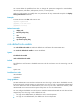
Related commands
• display role feature-group
• display role feature