
R211x-HP Flexfabric 11900 Fundamentals Command Reference
82
Views
System view
Predefined user roles
network-admin
mdc-admin
Examples
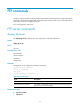
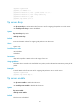
# Enable the FTP server.
<Sysname> system-view
[Sysname] ftp server enable
ftp server ipv6 dscp
Use ftp server ipv6 dscp to set the DSCP value for IPv6 to use for outgoing FTP packets on an FTP server.
Use undo ftp server ipv6 dscp to restore the default.
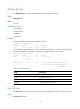
Syntax
ftp server ipv6 dscp dscp-value
undo ftp server ipv6 dscp
Default
IPv6 uses the DSCP value 0 for outgoing FTP packets on an FTP server.
Views
System view
Predefined user roles
network-admin
mdc-admin
Parameters
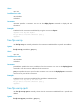
dscp-value: Specifies a DSCP value in the range of 0 to 63.
Usage guidelines
The DSCP value is carried in the Traffic class field of an IPv6 packet, and it indicates the transmission
priority of the packet.
Examples
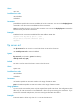
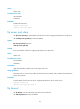
# Set the DSCP value for IPv6 to use for outgoing FTP packets to 30 on an FTP server.
<Sysname> system-view
[Sysname] ftp server ipv6 dscp 30
ftp timeout
Use ftp timeout to set the idle-timeout interval for FTP connections.
Use undo ftp timeout to restore the default.