
R211x-HP Flexfabric 11900 Fundamentals Command Reference
83
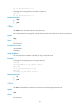
Syntax
ftp timeout minute
undo ftp timeout
Default
The FTP idle-timeout interval is 30 minutes.
Views
System view
Predefined user roles
network-admin
mdc-admin
Parameters
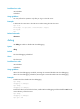
minute: Specifies an idle-timeout interval in the range of 1 to 35791 minutes.
Usage guidelines
If no packet is exchanged on an FTP connection within the idle-timeout interval, the FTP server breaks the
FTP connection to release resources.
Examples
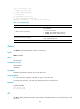
# Set the idle-timeout interval to 36 minutes.
<Sysname> system-view
[Sysname] ftp timeout 36
FTP client commands
Before executing FTP client configuration commands, make sure you have configured authorization
settings for users on the FTP server. Authorized operations include viewing the files in the working
directory, reading/downloading/uploading/renaming/removing files, and creating directories.
The FTP client commands in this section are supported by the device, but whether they can be executed
successfully depends on the FTP server.
The output in the examples of this section varies with FTP server types.
append
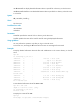
Use append to add the content of a file on the FTP client to a file on the FTP server.
Syntax
append localfile [ remotefile ]
Views
FTP client view
Predefined user roles
network-admin
mdc-admin