
R211x-HP Flexfabric 11900 Fundamentals Command Reference
85
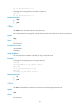
binary
Use binary to set the file transfer mode to binary, which is also called the "flow mode."
Syntax
binary
Default
The file transfer mode is ASCII in versions prior to Release 2111, and binary in Release 2111 and later.
Views
FTP client view
Predefined user roles
network-admin
mdc-admin
Usage guidelines
You can perform this operation only after you log in to the FTP server.
The carriage return characters vary with operating systems. For example, HP and Windows use /r/n,
and Linux uses /n. To transfer files between two systems that use different carriage return characters,
determine FTP transfer mode according to the file type.
FTP transfers files in the following modes:
• Binary mode—Transfers program file or pictures.
• ASCII mode—Transfers text files.
Examples
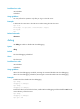
# Set the file transfer mode to binary.
ftp> binary
200 TYPE is now 8-bit binary
Related commands
ascii
bye
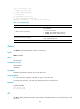
Use bye to terminate the connection to the FTP server and return to user view.
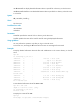
If no connection is established between the device and the remote FTP server, use this command to
return to user view.
Syntax
bye
Views
FTP client view
Predefined user roles
network-admin
mdc-admin