
R211x-HP Flexfabric 11900 Fundamentals Command Reference

89
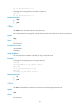
local: a.txt remote: a.txt
---> EPRT |2|8::124|50198|
200 PORT command successful
---> RETR a.txt
150 Connecting to port 50198
226 File successfully transferred
1569 bytes received in 0.0104 seconds (147.2 kbyte/s)
Table 11 Command output
Field Descri
p
tion
---> EPRT |2|8::124|50198|
FTP command.
• 2—IPv6 (1 for IPv4).
• 8::124—IPv6 address of the FTP server.
• 50198—Port number of the FTP server.
200 PORT command successful
Received FTP reply code. 200 represents the reply
code, defined in RFC 959.
---> RETR a.txt Downloads file a.txt.
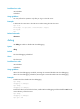
delete
Use delete to permanently delete a file on the FTP server.
Syntax
delete remotefile
Views
FTP client view
Predefined user roles
network-admin
mdc-admin
Parameters
remotefile: Specifies the name of a file on the FTP server.
Usage guidelines
You can perform this operation only after you log in to the FTP server.
To perform this operation, you must have delete permission on the FTP server.
Examples
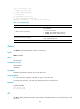
# Delete file b.txt.
ftp> delete b.txt
250 Deleted b.txt
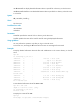
dir
Use dir to display detailed information about the files and subdirectories in the current directory on the
FTP server.