
R211x-HP Flexfabric 11900 Fundamentals Configuration Guide

92
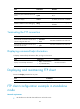
Copying a file
Perform this task in user view.
Task Command
Copy a file. copy fileurl-source fileurl-dest
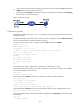
Moving a file
Perform this task in user view.
Task Command
Move a file. move fileurl-source fileurl-dest
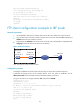
Compressing/decompressing a file
Perform the following tasks in user view:
Task Command
Compress a file. gzip filename
Decompress a file. gunzip filename
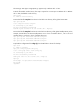
Archiving/extracting files
Perform the following tasks in user view:
Task Command
Archive files.
tar create [ gz ] archive-file fileurl-dest [ verbose ] source
fileurl-source-list&<1-5>
Extract files.
tar extract archive-file fileurl-dest [ verbose ] [ screen | to
directory-name ]
Display the names of archived files. tar list archive-file fileurl-dest
Deleting/restoring a file
You can delete a file permanently or move it to the recycle bin. A file moved to the recycle bin can be
restored, but a permanently deleted file cannot.
Files in the recycle bin occupy storage space. To save storage space, periodically empty the recycle bin
with the reset recycle-bin command.
Perform the following tasks in user view: