
R211x-HP Flexfabric 11900 Fundamentals Configuration Guide

149
ISSU examples for using install series commands in
standalone mode
Feature upgrade example
Upgrade requirement
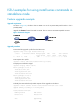
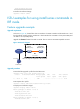
As shown in Figure 45, the device has two MPUs: one in slot 4 (active MPU) and the other in slot 5
(standby MPU).
Upgrade the feature1 feature from R2111 to R2110. The two versions are ISSU-compatible versions.
Figure 45 Network diagram
Upgrade procedure
# Download the upgrade .ipe file from the TFTP server.
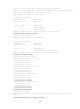
<Sysname> tftp 2.2.2.2 get feature1-r2111.ipe
% Total % Received % Xferd Average Speed Time Time Time Current
Dload Upload Total Spent Left Speed
100 256k 100 256k 0 0 764k 0 --:--:-- --:--:-- --:--:-- 810k
# Decompress the .ipe file.
<Sysname> install add flash:/feature1-r2111.ipe flash:/
# Display active software images.
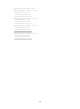
<Sysname> display install active
Active packages on slot 4:
flash:/boot-r2110.bin
flash:/system-r2110.bin
flash:/feature1-r2110.bin
Active packages on slot 5:
flash:/boot-r2110.bin
flash:/system-r2110.bin
flash:/feature1-r2110.bin
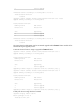
# Identify the ISSU method and possible impacts of the upgrade on the device.
<Sysname> install activate feature flash:/feature1-r2111.bin slot 5 test
Upgrade summary according to following table:
flash:/feature1-r2111.bin
Running Version New Version
Release 2110 Release 2111
Slot Upgrade Way