
R211x-HP Flexfabric 11900 High Availability Configuration Guide


4
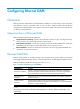
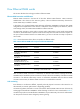
Ethernet OAM configuration task list
Tasks at a
g
lance
(Required.) Configuring basic Ethernet OAM functions
(Optional.) Configuring the Ethernet OAM connection detection timers
(Optional.) Configuring link monitoring
• Configuring errored symbol event detection
• Configuring errored frame event detection
• Configuring errored frame period event detection
• Configuring errored frame seconds event detection
(Optional.) Configuring the action a port takes after it receives an Ethernet OAM event from the remote end
Configuring basic Ethernet OAM functions
To set up an Ethernet OAM connection between two Ethernet OAM entities, you must set at least one
entity to operate in active mode. An Ethernet OAM entity can initiate OAM connection only in active
mode.
To change the Ethernet OAM mode on an Ethernet OAM-enabled port, first disable Ethernet OAM on the
port.
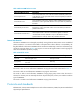
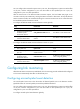
To configure basic Ethernet OAM functions:
Ste
p
Command
Remarks
1. Enter system view.
System-view N/A
2. Enter Layer 2 Ethernet port
view.
interface interface-type
interface-number
N/A
3. Set the Ethernet OAM mode.
oam mode { active | passive }
The default is active Ethernet OAM
mode.
4. Enable Ethernet OAM.
oam enable
Ethernet OAM is disabled by
default.
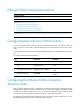
Configuring the Ethernet OAM connection
detection timers
After an Ethernet OAM connection is established, the Ethernet OAM entities exchange Information
OAMPDUs at the handshake packet transmission interval to detect the availability of the Ethernet OAM
connection. If an Ethernet OAM entity receives no Information OAMPDU within the Ethernet OAM
connection timeout time, the Ethernet OAM connection is considered disconnected.
By adjusting the handshake packet transmission interval and the connection timeout timer, you can
change the detection time resolution for Ethernet OAM connections.