
R211x-HP Flexfabric 11900 IP Multicast Command Reference




54
Syntax
multicast boundary group-address { mask-length | mask }
undo multicast boundary { group-address { mask-length | mask } | all }
Default
No multicast forwarding boundary is configured.
Views
Interface view
Predefined user roles
network-admin
mdc-admin
Parameters
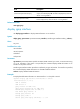
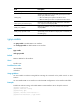
group-address: Specifies a multicast group address in the range of 224.0.0.0 to 239.255.255.255.
mask-length: Specifies the address mask length in the range of 4 to 32.
mask: Specifies the address mask.
all: Specifies all forwarding boundaries configured on the interface.
Usage guidelines
A multicast forwarding boundary sets the boundary condition for the multicast groups in the specified
address range. If the destination address of a multicast packet matches the set boundary condition, the
packet is not forwarded.
You do not need to enable IP multicast routing before executing this command.
An interface can act as a forwarding boundary for multiple multicast groups in different address ranges.
To achieve this, use this command on the interface for each multicast address range.
Assume that Set A and Set B are multicast forwarding boundary sets with different address ranges, and
B is a subset of A. If B is configured after A, A still takes effect. If A is configured after B, B is removed.
Examples
# Configure VLAN-interface 100 as the forwarding boundary of multicast groups in the range of
239.2.0.0/16.
<Sysname> system-view
[Sysname] interface vlan-interface 100
[Sysname-Vlan-interface100] multicast boundary 239.2.0.0 16
Related commands
display multicast boundary
multicast routing
Use multicast routing to enable IP multicast routing and enter MRIB view.
Use undo multicast routing to disable IP multicast routing.
Syntax
multicast routing [ vpn-instance vpn-instance-name ]