
R211x-HP Flexfabric 11900 IP Multicast Configuration Guide

29
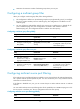
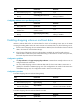
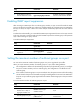
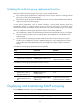
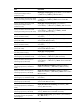
Task Command
Remove dynamic router ports. reset igmp-snooping router-port { all | vlan vlan-id }
Clear statistics for the IGMP messages
learned by IGMP snooping.
reset igmp-snooping statistics
IGMP snooping configuration examples
Group policy configuration example
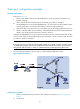
Network requirements
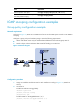
As shown in Figure 13, Router A runs IGMPv2 and serves as the IGMP querier. Switch A runs IGMPv2
snooping.
Configure a group policy and simulate joining to meet the following requirements:
• Host A and Host B receive only the multicast data addressed to the multicast group 224.1.1.1.
• Switch A drops unknown multicast data instead of flooding it in VLAN 100.
Figure 13 Network diagram
Configuration procedure
1. Assign an IP address and subnet mask to each interface according to Figure 13. (Details not
shown.)
2. On Router A:
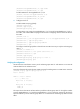
# Enable IP multicast routing globally.
<RouterA> system-view
[RouterA] multicast routing
[RouterA-mrib] quit
# Enable IGMP on Ten-GigabitEthernet 1/0/1.
[RouterA] interface ten-gigabitethernet 1/0/1