
R211x-HP Flexfabric 11900 IRF Command Reference
22
irf-port port-number
Use irf-port port-number to enter IRF port view in standalone mode.
Use undo irf-port port-number to remove all port bindings on an IRF port in standalone mode.
Syntax
irf-port port-number
undo irf-port port-number
Views
System view
Predefined user roles
network-admin
mdc-admin
Parameters
port-number: Specifies an IRF port number, which must be 1 or 2.
Usage guidelines
To set up an IRF link between two devices, you must enter IRF port view to bind physical ports to the IRF
port used by each device for IRF connection.
Before you remove all port bindings on an IRF port, shut down all its physical ports.
Examples
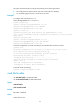
# In standalone mode, enter IRF-port 1 view.
<Sysname> system-view
[Sysname] irf-port 1
[Sysname-irf-port1]
Related commands
port group interface
irf-port-configuration active
Use irf-port-configuration active to activate IRF port settings.
Syntax
irf-port-configuration active
Views
System view
Predefined user roles
network-admin
mdc-admin
Usage guidelines
After you connect the physical ports between two devices and bind them to the correct IRF ports, you must
use this command to activate the settings on the IRF ports to merge the two devices into one IRF fabric.